Overview
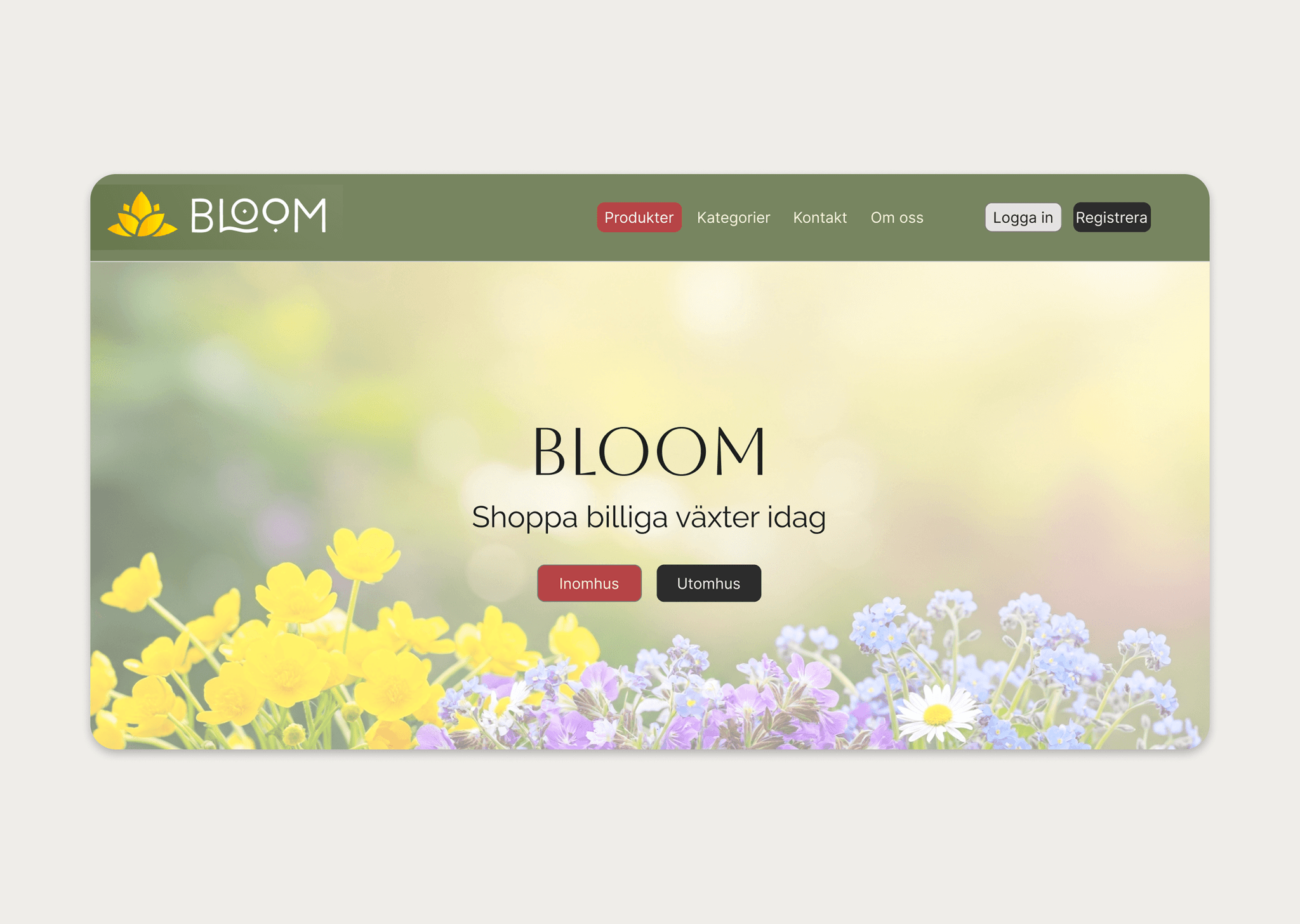
Bloom is a plant e-commerce website designed to provide a simple and enjoyable shopping experience for users looking to buy indoor and outdoor plants.
The project was developed as a group assignment during a frontend development course, combining both design and implementation.
We designed a clear path from browsing to checkout, helping customers compare plants and make a purchase without unnecessary steps.
Features
Browse indoor and outdoor plants
Product listing and detail pages
Add to cart and checkout flow
Responsive and structured layout
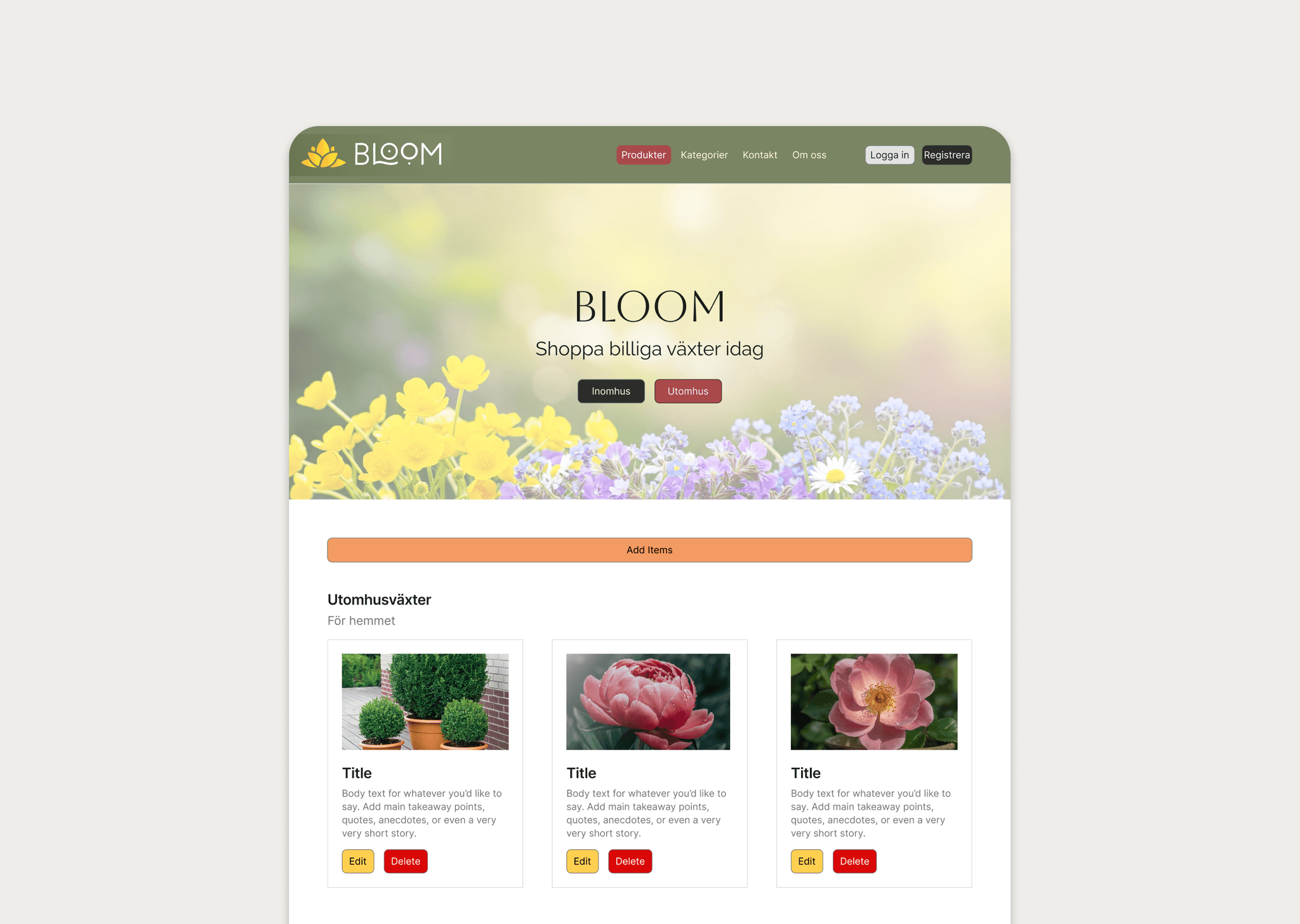
Admin panel for managing products
The platform focuses on clarity, accessibility, and ease of navigation to improve the overall shopping experience.
Role & Process
This was a collaborative project where I worked primarily as a UX/UI Designer while also contributing to frontend development.
My responsibilities included:
Designing the full user experience in Figma
Creating layouts, components, and visual hierarchy
Structuring product pages and navigation
Collaborating on frontend implementation
UX decisions
The design focused on simplicity and clarity:
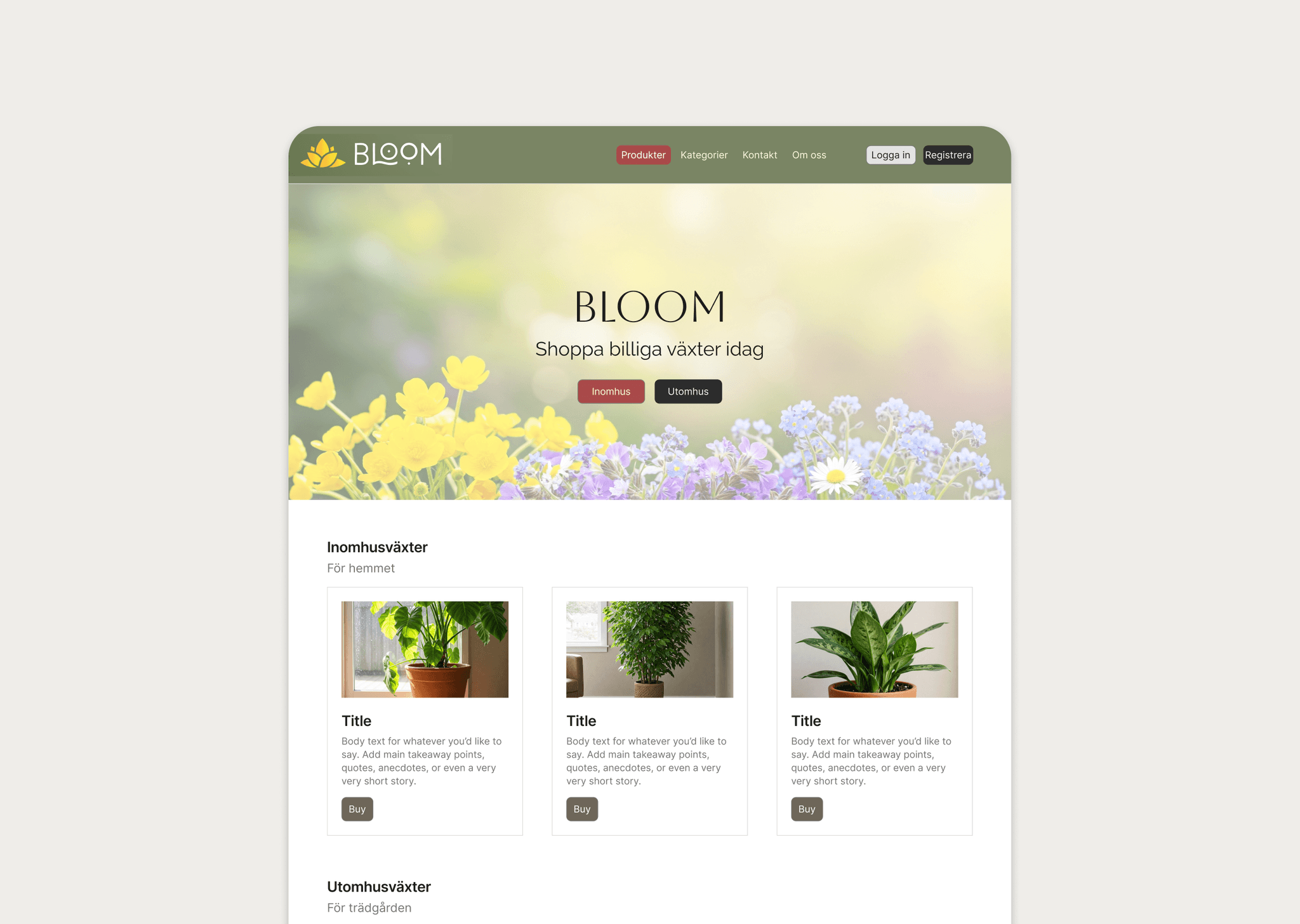
Clear separation between indoor and outdoor plants
Card-based layout for easy scanning
Consistent buttons and actions (Buy, Edit, Delete)
Clean typography and spacing for readability
Special attention was given to making the interface intuitive for first-time users.
Admin Panel
An admin interface was also implemented, allowing:
Adding new products
Editing existing items
Deleting products
This adds real-world functionality and demonstrates how the system can be managed dynamically.
Technology
The project was built using:
TypeScript
JavaScript
Implementation
I collaborated with the team on implementing the UI and ensuring the design was accurately translated into code.
Reflection
Working across design and implementation made the trade-offs visible early and kept the final interface aligned with the original intent.
It improved my ability to:
Design with implementation in mind
Collaborate in a team environment
Build structured and scalable interfaces
It also gave me practical experience in creating a full user flow from browsing to checkout.