Overview
Itslearning is a learning management system widely used by educational institutions. During this academic project, our team redesigned the mobile application to improve usability, accessibility, and the overall student experience.
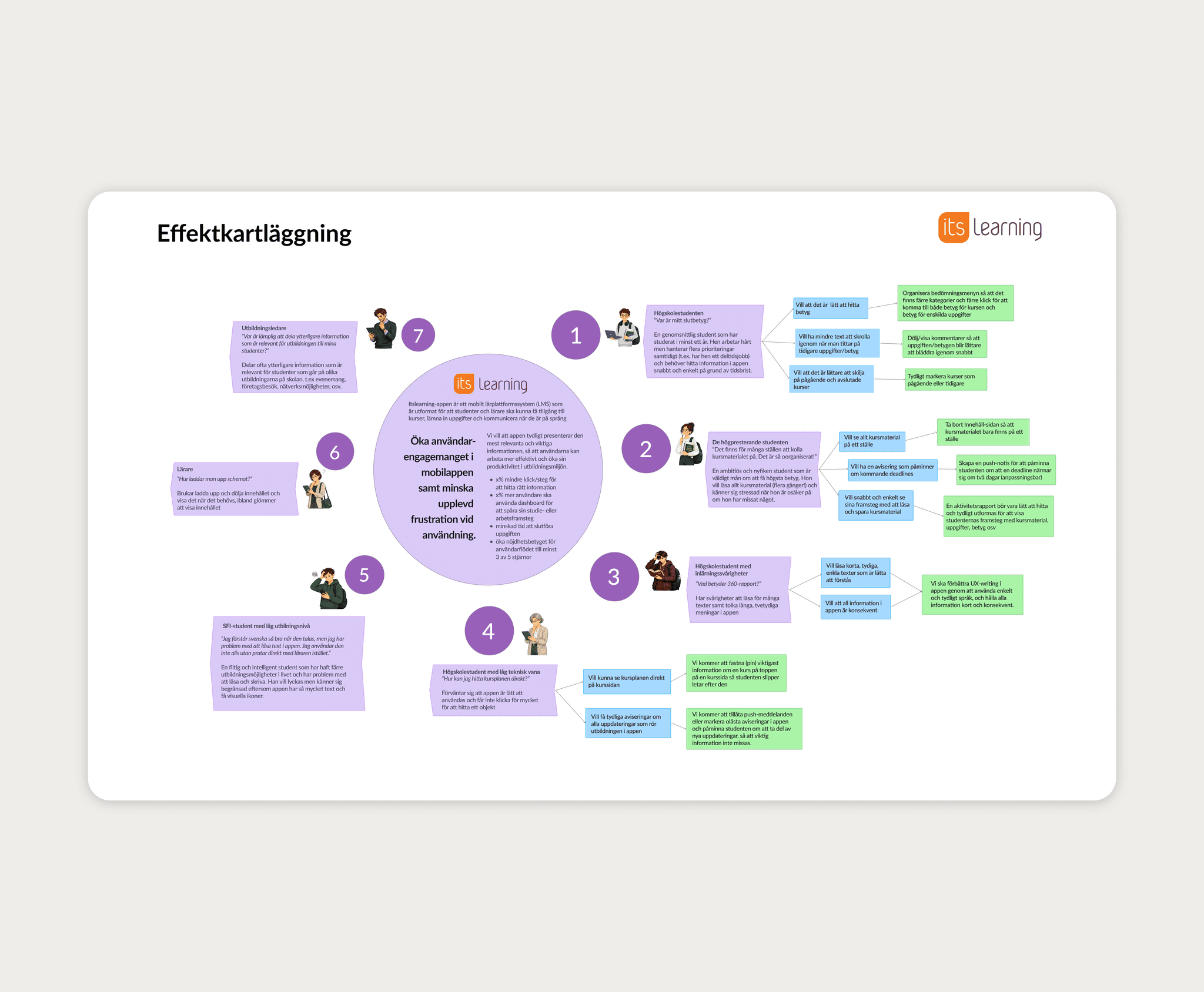
The project followed a complete UX process, including user research, usability testing, redesign, and validation testing. Our goal was to simplify navigation, reduce frustration, and make important information easier to find.
The Challenge
Students frequently struggled to complete simple tasks inside the app.
The biggest usability issues included:
Finding the final course grade
Confusing navigation
Unclear information architecture
External browser views interrupting the experience
Inconsistent terminology
Poor visibility of important information
These issues increased cognitive load and forced users to spend unnecessary time searching for information.
My Role
I worked closely with my team throughout the entire UX process.
My responsibilities included:
Planning usability tests
Writing user scenarios and test tasks
Moderating usability sessions
Observing user behaviour
Recording insights
Analysing qualitative and quantitative data
Creating wireframes and UI concepts in Figma
Participating in redesign decisions
Validating the final prototype
Research and testing
We tested the existing app with five students across iOS and Android.
Each participant completed four realistic tasks:
Find a completed course
Find the course syllabus
Find an assignment grade
Find the final course grade
We combined:
Task-based usability testing
First-click testing
Think Aloud
Observation
Likert scale questionnaires
We measured:
Task Success Rate
Error Rate
Time on Task
User Satisfaction
Key Findings
Our research revealed several recurring usability problems.
Only 1 out of 5 participants could find their final course grade without assistance.
Users frequently:
Clicked the wrong menu items
Became confused by the navigation
Didn't understand the difference between sections such as Content and Planning
Lost control when the app opened external browser views
The results showed a clear mismatch between the app’s structure and the way students expected information to be organised.
Design response
We focused the redesign on the moments that caused the most delay and confusion.
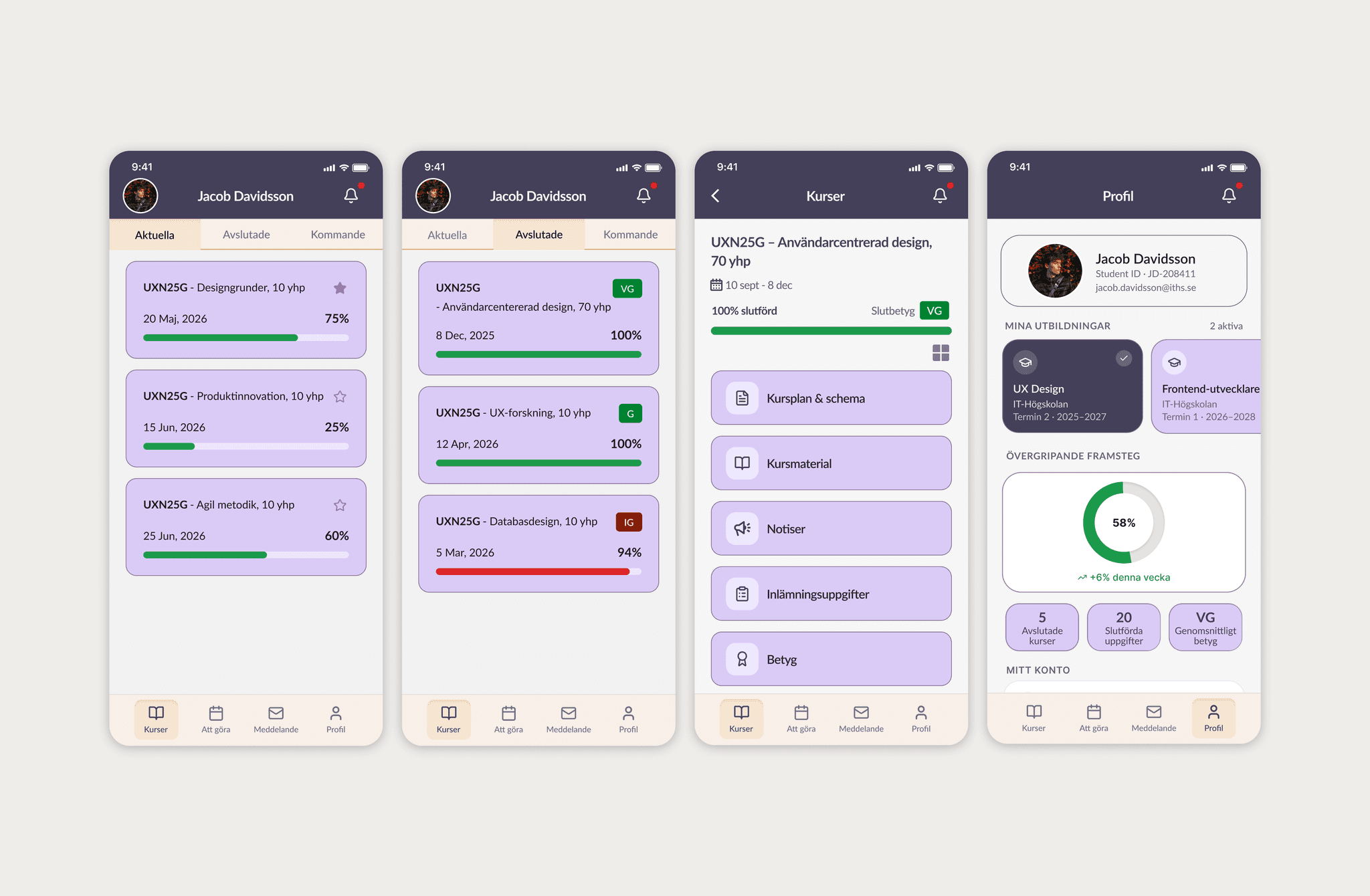
Final Grades
Displayed directly on completed course cards
Added a dedicated Grades section
Information Architecture
Clearer menu labels
Better organisation of course material
Simplified navigation hierarchy
Native Experience
Removed unnecessary browser redirects
Fully clickable course cards
Grouped courses into Current, Completed and Upcoming
We also improved accessibility through better colour contrast, larger touch targets and clearer typography.
Validation
We tested the redesigned prototype using the same tasks and measurements.
Compared to the original app, users:
Completed tasks faster
Made fewer mistakes
Found the final grade significantly easier
Reported higher satisfaction
Experienced less frustration
The validation showed that the new structure helped students complete the same tasks with less effort and greater confidence.