Overview
This project focused on improving the user experience of the Västtrafik app, with a strong emphasis on usability, clarity, and accessibility for a wide range of users.
The goal was to identify pain points in how users interact with the app—especially when navigating ticket options, understanding zones, and completing common tasks such as purchasing tickets.
Through surveys, interviews, and user observations, we discovered that many users experienced confusion around terminology, navigation structure, and information hierarchy. These issues were particularly challenging for users with different language backgrounds or limited familiarity with the system.
By applying the Design Thinking process, we focused on understanding real user needs and translating them into clear, user-centered design improvements.
Process & Role
I played a central role in both research and design throughout the project. I was responsible for structuring the workflow, setting up our project planning in Trello, and defining timelines for research, analysis, and design phases.
Research
During the research phase, I contributed to designing surveys and interview questions, ensuring they were clear, unbiased, and accessible to users from different backgrounds. I participated as both moderator and observer in interviews, focusing on capturing user behaviors, patterns, and pain points.
We conducted surveys and interviews, then analyzed the data using thematic clustering in Miro. This allowed us to identify key insights and define clear problem areas based on real user needs rather than assumptions.
Design & Prototyping
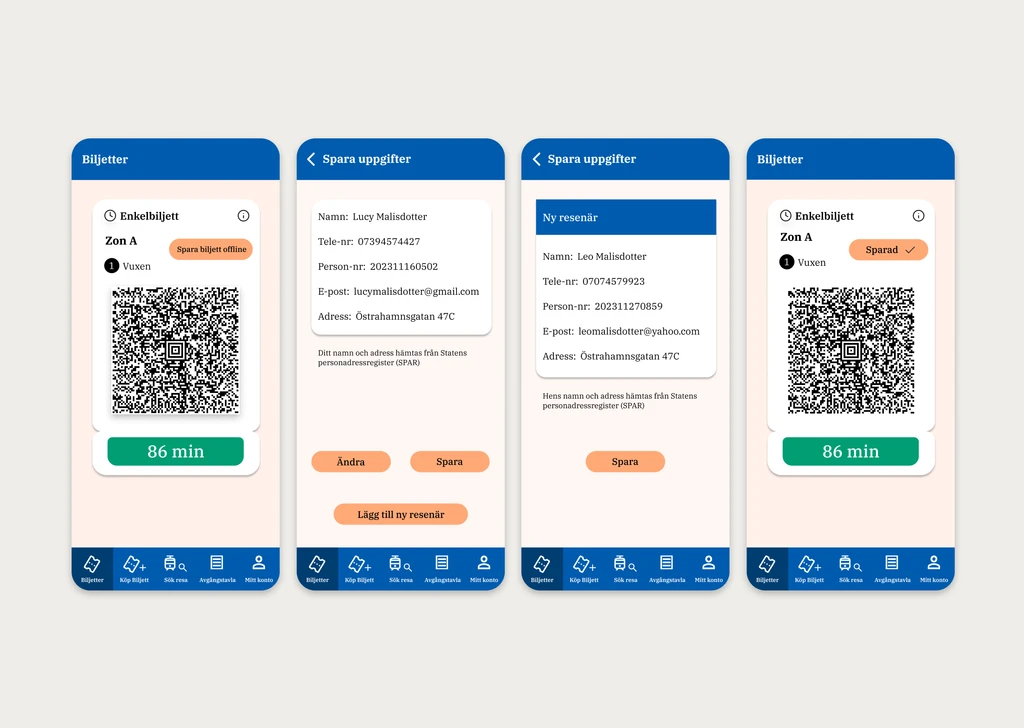
I was primarily responsible for wireframes and high-fidelity design in Figma. I worked on improving structure, visual hierarchy, and interaction flows, focusing on clarity and ease of use.
Key improvements included:
Simplified navigation and clearer structure
Improved terminology and microcopy for better understanding
Better visual hierarchy and readability
More intuitive user flows
Testing & Iteration
Usability testing exposed friction in the navigation and wording. We used that feedback to clarify labels, simplify key routes and reduce uncertainty at each step.
Impact
Reduced confusion in ticket selection and navigation
Improved accessibility for users with different backgrounds
Clearer actions and more predictable navigation
Stronger alignment between user needs and design decisions
The project gave me practical experience turning research patterns into design decisions and testing those decisions through iteration.